If you’re a technician specializing in ASUS H110M-D motherboard chip-level repair, having the right tools is crucial for efficient troubleshooting. One of the most valuable resources for motherboard repair is the H110M-D BoardView file, which provides a detailed schematic layout of the motherboard. This file helps technicians quickly identify faulty components, trace circuits, and diagnose issues accurately.
In this blog, we’ll discuss why downloading the H110M-D BoardView file is essential for repairing the ASUS H110M-D motherboard. Plus, we’ll show you where you can download the H110M-D BoardView file for free to enhance your repair process.
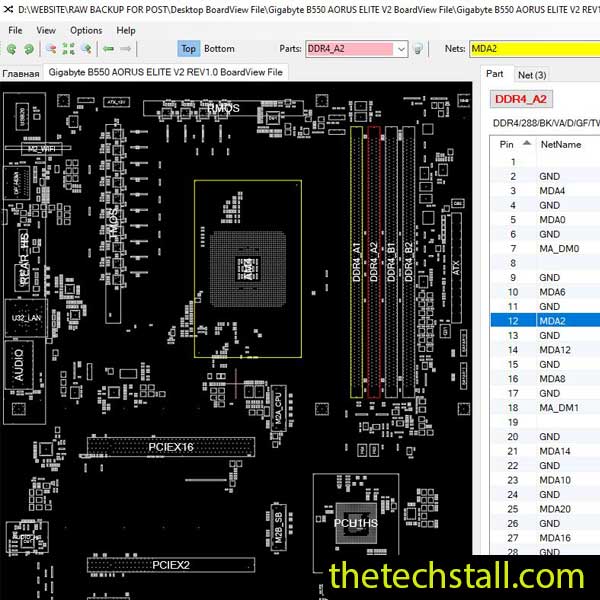
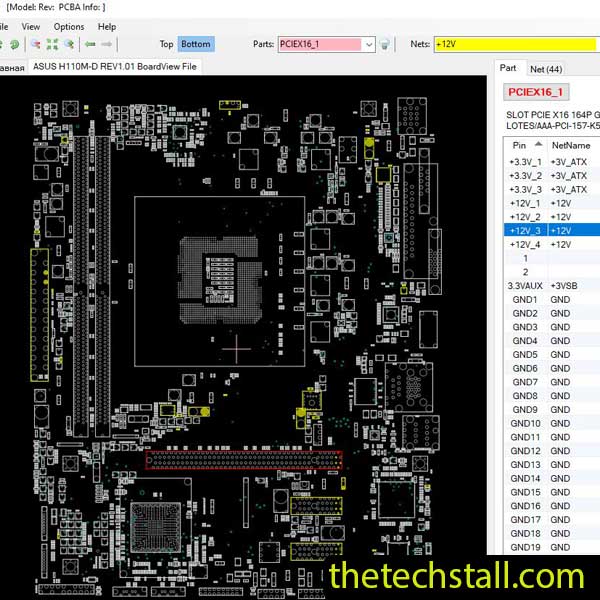
A BoardView file is a digital representation of a motherboard’s layout, showing the exact positions of components, traces, and test points. Unlike traditional schematics, BoardView files provide a visual guide, making it easier to locate and test specific parts of the board.
For the ASUS H110M-D motherboard, the H110M-D BoardView file is indispensable because it:
Without this file, repairing complex motherboard issues becomes a tedious and error-prone process.
When dealing with motherboard failures (no power, no display, USB issues, etc.), the H110M-D BoardView file allows you to:
This speeds up the repair process significantly, especially for complex issues like GPU or RAM circuit failures.
Many motherboard issues stem from faulty SMD components (resistors, capacitors, MOSFETs). The H110M-D BoardView file helps you:
Without this file, you might waste hours probing the wrong areas.
A wrong repair attempt can damage the motherboard further. The BoardView file ensures you:
This reduces the risk of permanent motherboard damage, saving you time and money.
If an ASUS H110M-D motherboard has suffered liquid damage or overheating, the H110M-D BoardView file helps:
Without this file, tracing damaged circuits becomes nearly impossible.
Many technicians hesitate to invest in expensive schematics or BoardView tools. The good news? You can download the H110M-D BoardView file for free, making professional-level repairs accessible to everyone.
To help technicians access this crucial repair resource, we’re providing a free download link for the H110M-D BoardView file.
Download “ASUS H110M-D REV1.01 BoardView File” view – Downloaded 316 times – 38.69 KBOnce you’ve downloaded the file, follow these steps:
This method ensures quick and accurate repairs without guesswork.
For any technician working on ASUS H110M-D motherboard chip-level repairs, the H110M-D BoardView file is a must-have tool. It

For tips on chip-level repair of laptop and desktop motherboards, visit our YouTube channel Repair Assistant and subscribe to our Facebook page repairassiastantbd for repair resource updates.
Don’t waste hours struggling with trial-and-error repairs—download the H110M-D BoardView file for free today and take your motherboard repair skills to the next level!